Build React Native apps you can see.
RN Studio is the desktop IDE made for React Native and Expo. Screens render beside your code as you type, App Map shows your whole app at once, and Play Store releases take a few clicks. No device needed to design.
Try it: edit the title or pick a colour in the code. The phone redraws instantly, like it does in RN Studio.
Coming from VS Code? You'll feel at home.
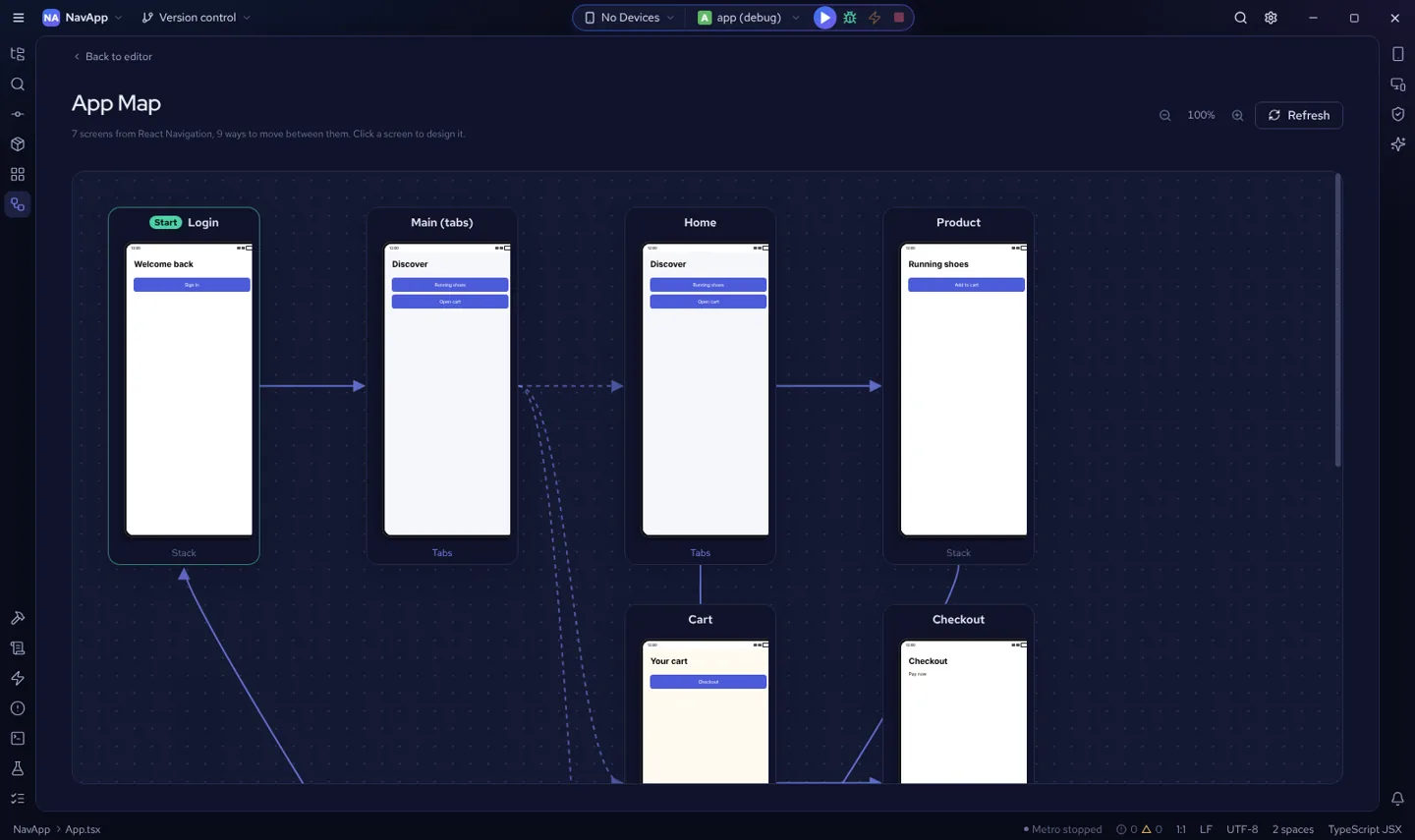
Your whole app, on one map
App Map reads React Navigation and expo-router and lays out every screen with a live preview, plus arrows for every way a user can move between them.
- Stacks, tabs and drawers, including nested navigators
- Click any screen to open it in Design
- Spot dead ends and missing screens before your users do
Design without a device
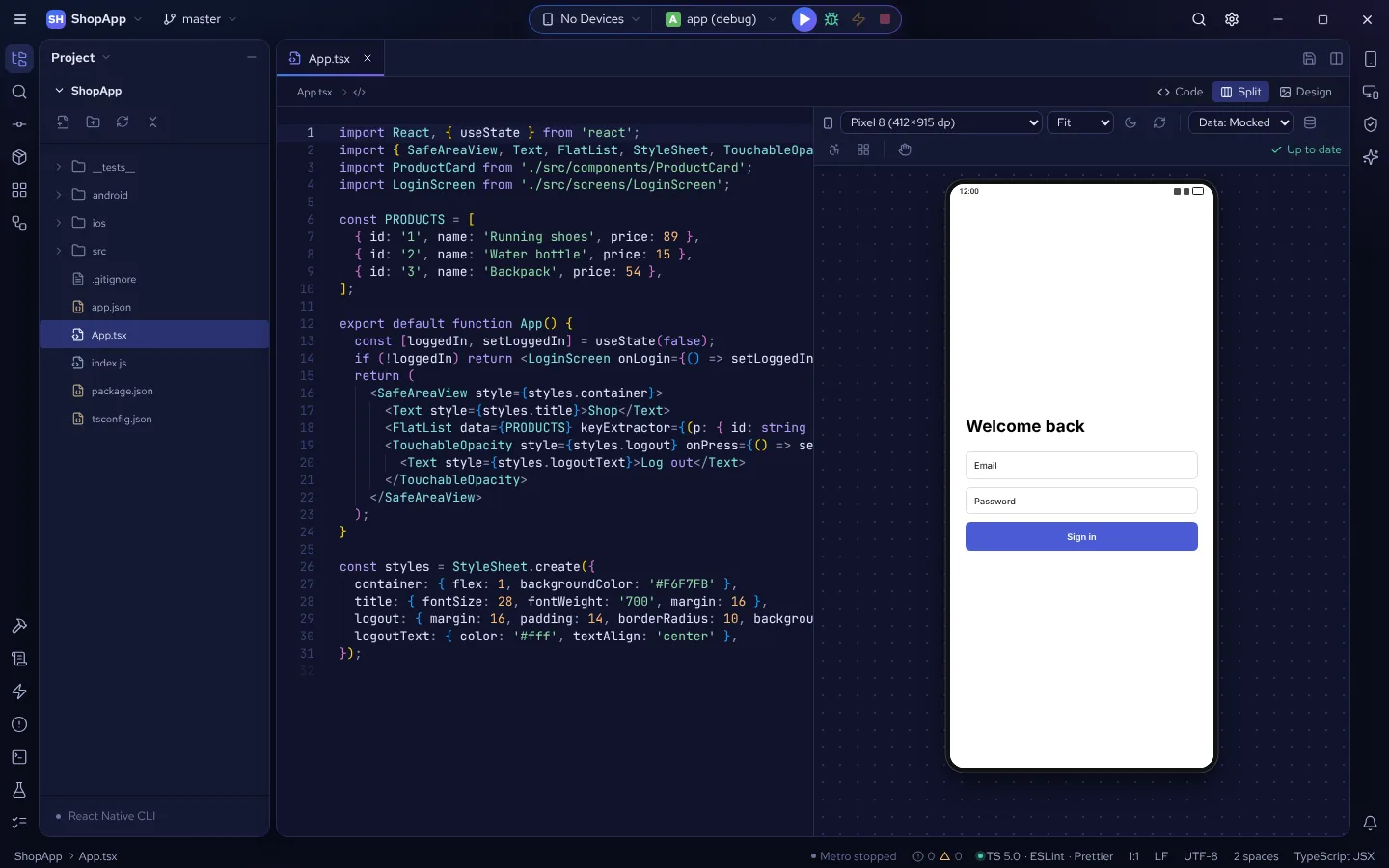
Every screen renders beside the code while you type. Pick it on the phone, change styles in the panel, and the code updates.
- Android and iPhone frames, dark mode, many devices at once
- Mocked API data with Loading, Empty and Error states
- Accessibility check linked to the line of code
Expo, built in
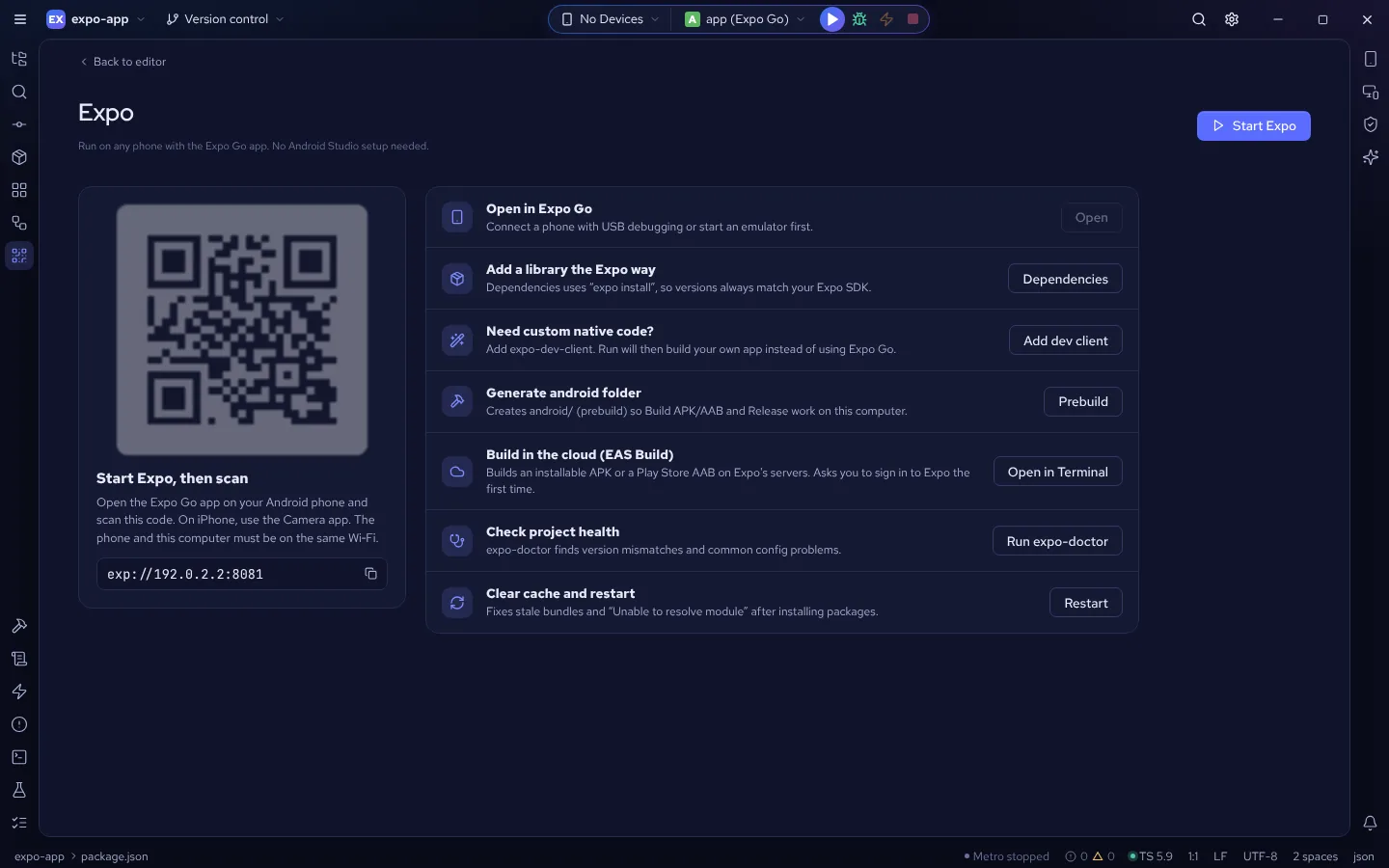
Start Expo and scan the QR code with Expo Go. Or press Run to open the app on a connected phone over USB.
- Development builds, prebuild and EAS Build from one panel
- Adding a library uses expo install, so versions always match
- New projects start from Expo or the React Native CLI
The editor you already trust
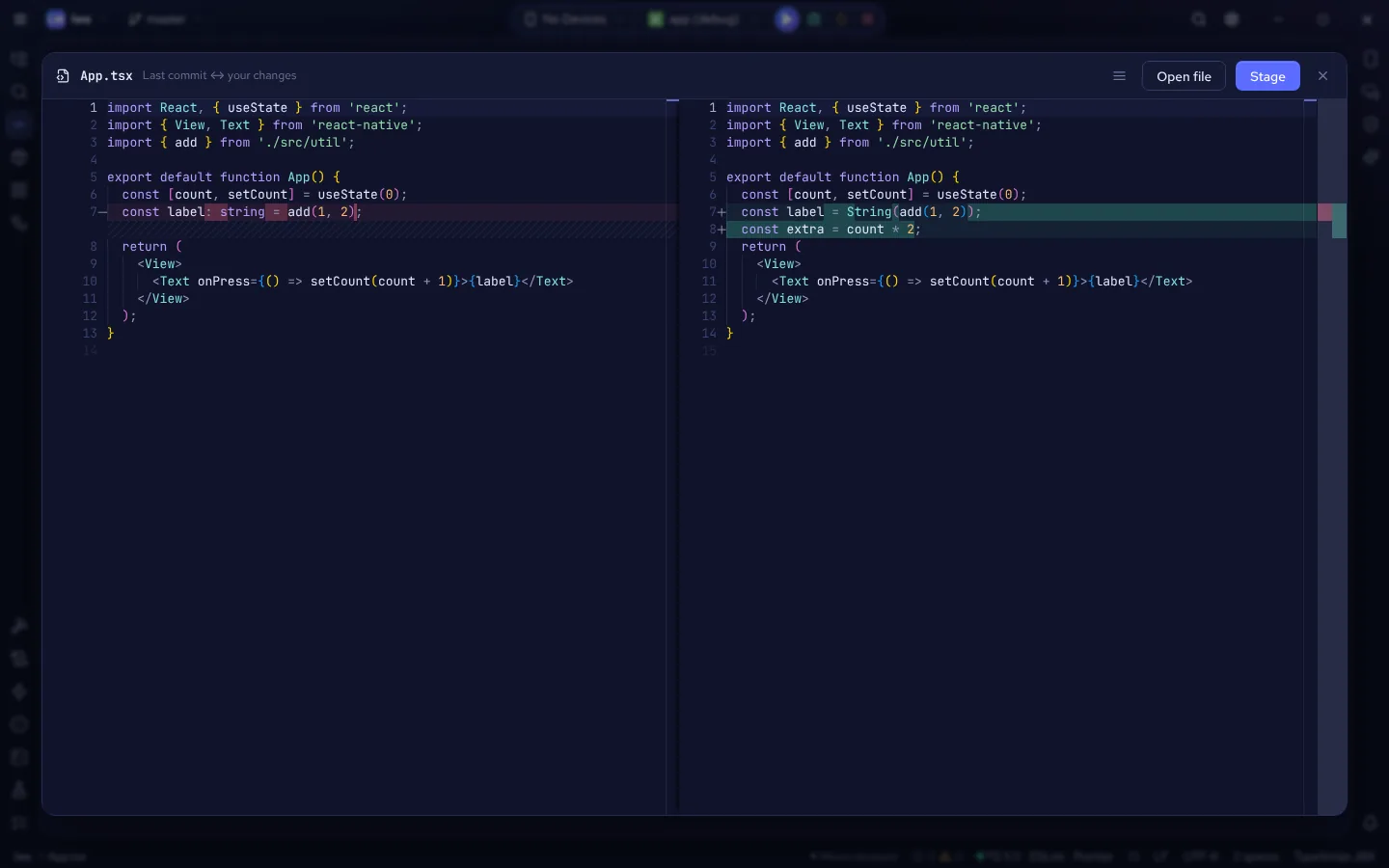
Your project's TypeScript finds real type errors and adds imports for you. ESLint marks problems as you type and Prettier formats on save. Review every change side by side before you commit.
- Go to Definition, Find References and rename across files
- Git diff for every changed file
- Clear errors with one-click fixes when a build fails
Everything a React Native app needs, in one window
Android Studio is made for Kotlin and XML, VS Code for everything. RN Studio is made for one job: building React Native apps.
How it compares
An honest look at what you get out of the box, without extensions.
VS Code and Android Studio are excellent general tools; many teams will keep using them for other work.
Free while in beta
Everything below is free during the beta. The core IDE stays free forever; Pro features will become a paid plan later, with early users getting a discount.
Free
For learning and building your own apps.
- Editor with TypeScript, ESLint, Prettier
- Live Design preview and App Map
- Expo, Run, Build APK/AAB
- Import from VS Code, Git diff
Pro Free in beta
For developers shipping apps to the store.
- Everything in Free
- AI: screenshot to code, explain and fix errors
- Google Play release wizard
- Bundle analysis and guided upgrades
- Many devices at once in Design
Team
For companies with several React Native developers.
- Everything in Pro
- Licenses for the whole team
- Priority support
- Help moving from VS Code
Download RN Studio
Install once. Updates download in the background and apply when you close the app.
- Run the installer and choose where to install it.
- If Windows SmartScreen appears, select More info, then Run anyway.
- Coming from VS Code? Choose Import from VS Code on the Welcome screen.
- Open your project. Environment Doctor checks Node, JDK and the Android SDK and offers fixes.
- Windows 10 or 11, 64-bit
- Node.js 22 or newer
- Android SDK and JDK 17 for native builds (Design preview and Expo Go work without them)
What's new
Questions
Is RN Studio free?
Yes. Everything is free during the beta. After the beta, the IDE itself (editor, Design preview, App Map, Expo, builds) stays free; Pro features will be a paid plan and beta users get a discount.
Does it work with Expo?
Yes. RN Studio detects Expo projects, shows a QR code for Expo Go, runs development builds, prebuild and EAS Build, and previews expo-router screens.
Do I need Android Studio installed?
No. Design preview, App Map and Expo Go work without it. To build an APK on your computer you need the Android SDK and JDK 17; Environment Doctor helps you install them.
Can I keep my VS Code setup?
Shortcuts already match VS Code. Import from VS Code brings your editor settings, snippets (including ES7+ React Native snippets) and recent React Native projects. Nothing in VS Code is changed.
Is my code sent anywhere?
No. Everything runs on your computer. The optional AI assistant uses your own API key and only sends what you choose to send.
Is there a Mac version?
Not yet. Windows comes first; macOS is planned so iOS developers can use RN Studio too.
Open your app in RN Studio today
Free during beta. Bring your VS Code setup in one click and see every screen as you build it.
Download for Windows